• ZOOM - virtual pilates, personal training and strength classes

    starts from £7:00/session

  • As featured in the Sunday Times

    Duration 50 minutes
    Calories 300-500
    Level Beginner - Advanced
  • Our beginner 4 week course will teach you the principles and techniques of Pilates with visual handouts and visual PDFs sent straight to your computer for you to practise at home or gym. A maximum of 12 space in the class. Contact us Pilates Penarth.

    More Information
  • We have 4 therapy rooms in Penarth near Cardiff Bay, where our independent therapists offer a cross section of therapies offering, Physiotherapy, Sports Massage, Nutrition, Reflexology, Aromatherapist, Reiki, Indian Head Massage, Hypnotherapist, Hot Stone Massage, Life Coaching and Success Coaching.

    More Information
Classes

Classes

Pilates beginner, intermediate and advanced. Boxing fit circuit, Saturday circuit.

Pilates beginner, intermediate and advanced. Boxing fit circuit, Saturday circuit.

+ View Classes
Schedule

Schedule

View our class schedules for Pilates, Boxing fit circuit and,Saturday circuit and many more.

View our class schedules for Pilates, Boxing fit circuit and,Saturday circuit and many more.

+ View Schedule
Therapists

Therapists

Our 8 therapists include Physiotherapists, Sports massage, Reflexology, Counselling, Nutritionist, Life Coach, Indian head massage, Deep...

Our 8 therapists include Physiotherapists, Sports massage, Reflexology, Counselling, Nutritionist, Life Coach, Indian head massage, Deep tissue massage and Counselling

+ View Therapists
JohnBruno

Cardiff's most exclusive personal training and health studio. John Bruno Total Training offers Pilates, Personal Training & Nordic Walking, Yoga & 10 Health Therapists. Get fit, get healthy, look good, feel great! We are based in Penarth near Cardiff Bay and Cardiff. Our Fitness and Health Studio is over 2 floors with nearly 2000sq feet, the main Studio being used for Personal Training, Pilates and Yoga classes and the smaller studio is located on the lower ground floor for Personal Training and Pilates/Yoga One To One tuition. All of our Studios are completely private, your session will be in your own One To One studio. NEW John BrunoTotal Training Virtual Health & Fitness Studio. Virtual classes and streaming videos, bringing the Gym into your home and office. We also have 4 therapy rooms where our independent therapists offer a cross section of therapies offering; Physiotherapy, Sports Massage, Nutrition, Reflexology, Face Yoga, Indian Head Massage, Hypnotherapist, Hot Stone Massage, Life Coaching, CBT and Beauty Therapies. Our clients travel from Penarth, Cardiff, Cardiff Bay, Cowbridge, Barry and Newport. Our ability to offer Personal Training, Pilates, Yoga, Nordic Walking and 10 Health Therapists all under one roof give our clients a one stop centre of excellence giving them all their Health and Fitness needs. I hope you find your exact Fitness and Health needs on Personal Trainer Cardiff, if not please contact us direct.

  1. Personal Training
  2. Pilates
  3. Therapists
  4. Fitness Classes
  • 1
    Fitness Studios
  • 1
    Therapy Rooms
  • 15
    Associates
  • 9
    Classes

Coming Soon / Offline Page

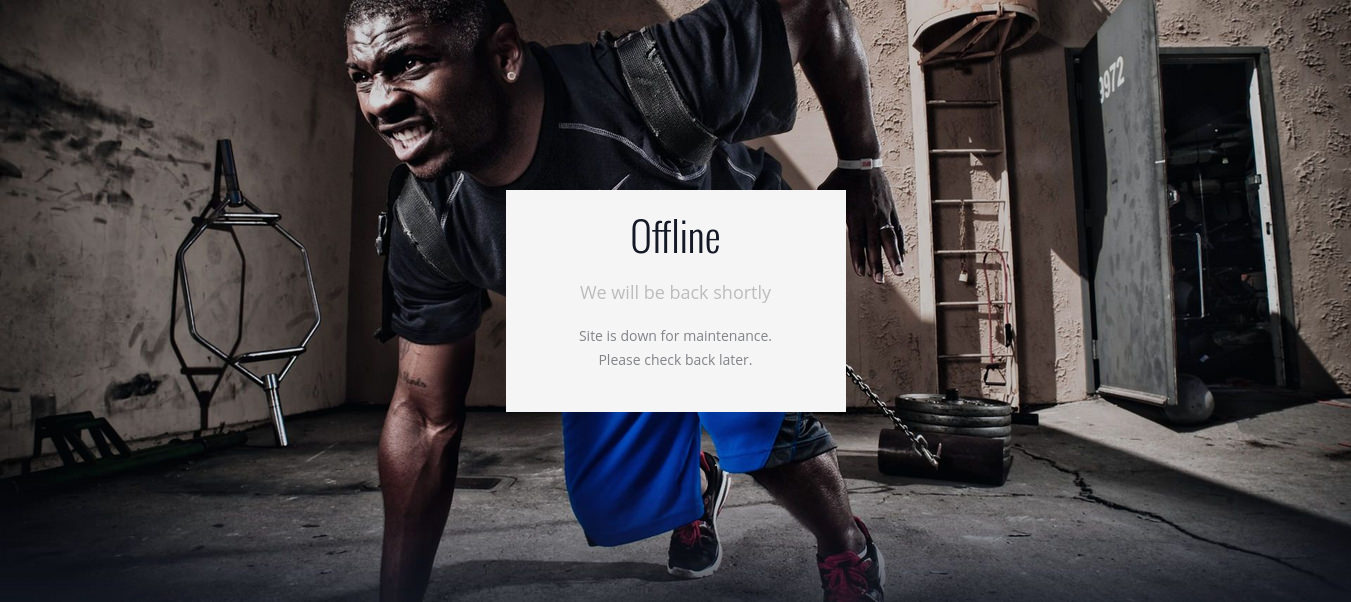
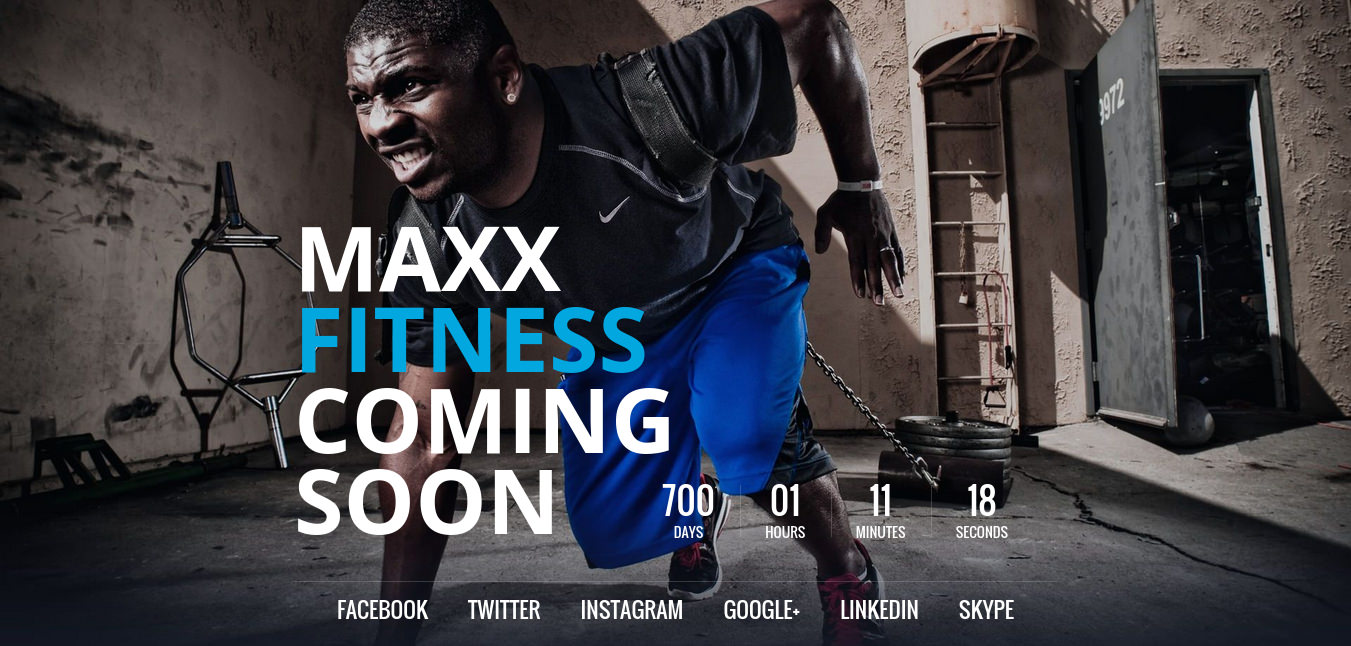
MaxxFitnes Template have a minimal, creative and responsive HTML5 offline page. Select how to display offline page in theme settings. Use one of the modes: Offline page or GrandOpening page (Coming Soon).

Main Features Ofline page

  • Two modes: Offline page, Coming Soon page
  • Clean and minimal design
  • Fully Responsive
  • jQuery Countdown for Coming Soon page
  • Easy to customise
  • 600+ Google Fonts
  • W3C Valid HTML
  • Well documented PHP and LESS files
  • and more features...
Offline Page


Grand Opening (Coming Soon) Page

Layouts

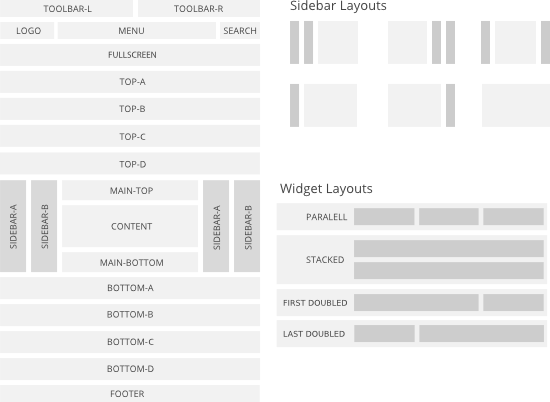
MaxxFitness template comes with a sophisticated layout system to create any kind of sidebar or widget layout based on Warp Framework. You can easily manage the sidebar's positions and modules in the theme administration. Modules can have different styles and be placed in any position offered by this theme. Each position has its own layout. You can align modules side-by-side, stack them or choose your own grid layout. Show or hide modules on mobile devices, while the grid adapts perfectly to your layout.

MaxxFitness Layout System

Navbar

Defines different styles for the navigation bar.

Usage

The Navbar component consists of the navbar itself and one or more navigations.

Class Description
.uk-navbar Add this class to a <nav> element to define the Navbar component.
.uk-navbar-nav Add this class to a <ul> element to create a navigation. Use <a> elements as menu items within the list.
.uk-active Add this class to a list item to apply an active state.
.uk-parent Add this class to indicate a parent menu item.

Example

Markup

<nav class="uk-navbar">
    <ul class="uk-navbar-nav">
        <li class="uk-active"><a href="">...</a></li>
        <li><a href="">...</a></li>
        <li class="uk-parent"><a href="">...</a></li>
    </ul>
</nav>

Navbar flip

Add the .uk-navbar-flip class to a <div> element to group and align navigations and items to the right.

Example

Markup

<nav class="uk-navbar">
    <div class="uk-navbar-flip">
        <ul class="uk-navbar-nav">
            <li><a href="">...</a></li>
        </ul>
    </div>
</nav>

Navbar subtitle

Add the .uk-navbar-nav-subtitle class to an <a> element in the list item to indicate that it has a subtitle. Use a <div> element for the subtitle itself.

Example

Markup

<nav class="uk-navbar">
    <ul class="uk-navbar-nav">
        <li><a href="" class="uk-navbar-nav-subtitle">
            ...
            <div>...</div>
        </a></li>
    </ul>
</nav>

Content

You can also add custom content to the navbar, like text, icons, buttons, forms or even a toggle. By default, there is no JavaScript attached to the toggle. As an example, you can add an off-canvas navigation from the Off-canvas component.

Class Description
.uk-navbar-content Add this class to a <div> element, which serves as a container for your custom content. The content will be centered vertically.
.uk-navbar-brand Add this class to an <a> or <div> element to indicate your brand.
.uk-navbar-center Add this class to center your navbar content or brand. The element needs to be the last child in the navbar.
.uk-navbar-toggle Add this class to an <a> or <div> element to create an icon as a toggle.
.uk-navbar-toggle-alt Add this class to create an alternative icon as a toggle.

Example

Markup

<nav class="uk-navbar">
    <a href="" class="uk-navbar-brand">...</a>
    <ul class="uk-navbar-nav">...</ul>
    <div class="uk-navbar-content">...</div>
    <div class="uk-navbar-content uk-navbar-center">...</div>
    <a href="" class="uk-navbar-toggle"></a>
</nav>

Responsive visibility

To hide or display certain navbar items, just add one of the responsive visibility classes from the Utility component. This comes in handy, if you want to use a toggle to trigger a mobile navigation for example.

Example

Resize your browser window to see it in action.

Lorem ipsum dolor sit amet, consetetur sadipscing elitr.

Markup

<nav class="uk-navbar">
    <ul class="uk-navbar-nav uk-hidden-small">...</ul>
    <a href="#my-id" class="uk-navbar-toggle uk-visible-small" data-uk-offcanvas></a>
</nav>

<div id="my-id" class="uk-offcanvas">
    ...
</div>

NOTE In this example we added an off-canvas sidebar fron the Off-canvas component.


Modifiers

To display the navbar in a different style, just add modifier classes. These modifiers can be combined with each other

Navbar attached

Add the .uk-navbar-attached class to optimize the navbar's styling to be attached to the top of the viewport. For example, rounded corners will be removed.

Example

Markup

<nav class="uk-navbar uk-navbar-attached">...</nav>

A navbar can contain a dropdown from the Dropdown component. Just add the .uk-dropdown-navbar modifier to the dropdown, so it fits perfectly into the navbar's styling.

Example

Animation

A basic collection of smooth animations to use within your page.

Usage

To apply this component, add any .uk-animation-* class to an element and it will fade in with a nice animation. These classes are commonly set by using JavaScript to apply the animation to specific behaviors.

Class Description
.uk-animation-fade The element fades in.
.uk-animation-scale-up The element scales up.
.uk-animation-scale-down The element scales down.
.uk-animation-slide-top The element slides in from the top.
.uk-animation-slide-bottom The element slides in from the bottom.
.uk-animation-slide-left The element slides in from the left.
.uk-animation-slide-right The element slides in from the right.
.uk-animation-shake The element shakes.
.uk-animation-scale The element scales down without fading in.

Example

Click on any of the boxes to see the animation.

Fade
Scale up
Scale down
Shake
Slide top
Slide bottom
Slide left
Slide right
Scale

Markup

<div class="uk-animation-fade">...</div>

Reverse modifier

By default, all aimations are incoming. To reverse any animation, add the .uk-animation-reverse class.

Example

Click on any of the boxes to see the animation.

Fade
Scale up
Scale down
Shake
Slide top
Slide bottom
Slide left
Slide right
Scale

Markup

<div class="uk-animation-fade uk-animation-reverse">...</div>

Duration modifier

To stretch the animation duration to 15 seconds, add the .uk-animation-15 class.

Example

Slide right

Markup

<div class="uk-animation-slide-right uk-animation-15">...</div>

Origin modifier

By default, scaling animations originate from the center. To modify this behavior, add one of these classes.

Class Description
.uk-animation-top-left The animation spreads from the top left.
.uk-animation-top-center The animation spreads from the top center.
.uk-animation-top-right The animation spreads from the top right.
.uk-animation-middle-left The animation spreads from the middle left.
.uk-animation-middle-right The animation spreads from the middle right.
.uk-animation-bottom-left The animation spreads from the bottom left.
.uk-animation-bottom-center The animation spreads from the bottom center.
.uk-animation-bottom-right The animation spreads from the bottom right.

Example

Click on any of the boxes to see the animation.

Top Left
Top Center
Top Right
Middle Left
Middle Right
Bottom Left
Bottom Center
Bottom Right

Animation hover

To trigger an animation on hover, just add the .uk-animation-hover class to the animated element itself or to a container.

Example

Fade
Slide right

Markup

<div class="uk-animation-hover uk-animation-fade">...</div>

<div class="uk-animation-hover">
    <div class="uk-animation-slide-right">...</div>
</div>

Trainers

Tanya Bruno

Tanya Bruno

Personal Trainer
John Bruno

John Bruno

Personal Trainer

Pricing

We offer attractive pricing plans for everyone
Why not start today !

£30.00

Per course

Pilates
Pilates 4 Week Beginner Class

+ Buy Now
£200.00

Per Course

Personal Training
Personal Training ( 5 sessions )

+ Buy Now

Take a look at our online shop


Vouchers